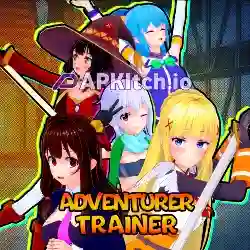


APP Info
| Name | Adventurer Trainer |
| Publisher | PastryIRL |
| Genre | Visual Novel |
| Size | 1.39 GB |
| Version | 0.2.3c |
| Operating System | Android 6 and up |
| MOD Info | Gallery Unlocked + Saves |
DOWNLOAD APK (1.39 GB)
How to Install Save Files
- Download and extract Save Files.zip.
- Copy all the extracted files and paste them into the following folder:
Android/data/com.pastryirl.adventurert/files/saves
- If prompted to replace or overwrite existing files, tap Replace or Overwrite.
- That’s it! Open the installed game, tap Load, and select the save file to continue.
DOWNLOAD Save Files (14 MB)
Note: You can unlock 70% of the gallery scenes using save files.
How to Unlock Full Gallery Scenes with Universal Ren’Py MOD
- Download and extract the Universal Ren’Py Mod ZIP file.
- Copy the 0x52_URM.rpa file from the extracted folder.
- Navigate to the game’s game directory:
Android/data/com.pastryirl.adventurert/files/game - Paste the 0x52_URM.rpa file into the game folder.
- If the game folder doesn’t exist, create it manually and then paste the file inside.
- Launch the game and tap Start New Game or Load Game. The Universal Ren’Py Mod Menu will appear.
- Tap the purple “52” floating icon to open the Universal Ren’Py Mod Menu, then tap the Search icon.
- Search for Gallery, open cheat_gallery_unlocked, and change its value from False to True to unlock all gallery scenes.
- You can also search for any resource, stat, or variable and modify its value according to your preference.
Note: Save the game after making changes so you can load the modified save anytime.


 Loading...





 4.67 (3 Votes)