

APP Info
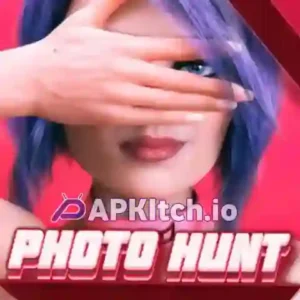
| Name | Photo Hunt |
| Publisher | Moochie |
| Genre | Visual Novel |
| Size | 2.11 GB |
| Version | 0.21.1 Extra |
| Operating System | Android 6 and up |
| MOD Info | Gallery Unlock Cheat |
How to Install Photo Hunt APK + RPA File on Android
Note: Note: Install the APK and launch the game. It will automatically detect the game data file “PhotoHunt-v0.21.1-assets-the66.rpa”. If the game does not detect the file automatically, follow the installation guide provided below to set it up manually.
- Download Photo Hunt APK + Archive.zip.
- Install the APK file on your device.
- Open the app once and grant file permissions when prompted. After granting permissions, close the app.
- Copy the RPA file (
PhotoHunt-v0.21.1-assets-the66.rpa) and paste it into the following folder on your device:
👉RenPy/org.photo.hunt.the66/gameIf thegamefolder doesn’t exist, you can create it manually. - Launch the game again — it will now load with the RPA content included. Enjoy playing!
MOD Features + Cheat Codes
Mod: Full Game Android Port, Paid Patreon Latest Version and Cheat Codes.
Cheat Codes for Unlock Gallery and Achivements
- CHEAT CODE: sexytwins (You will get all stats +25, +2000$, school success +100 and all love points +5)
- UNLOCK CODE: linarisa (Option to unlock/lock all achievements and Gallery Scenes)
Note:- Input the Cheat Code in your in-game phone -> Patrons -> Cheats
DOWNLOAD APK + RPA.Zip (2.11 GB)
DOWNLOAD Saves Files (14 MB)
Installation Guide: Download and extract the ZIP file. Copy all files from the saves folder and paste them into: RenPy/org.photo.hunt.the66

 Loading...

 4.88 (8 Votes)