
Winlator PC Emulator MOD APK brings no lag, best settings applied, and full optimization for low-end Android devices with smooth performance.
APP Info
| Name | Winlator Emulator |
| Publisher | Winlator |
| Genre | Emulator |
| Size | 149 MB |
| Version | 10.1 |
| Operating System | Android 9 and up |
| MOD Info | Optimized |


 3.56 (9 Votes)
 Loading...
Winlator APK – PC Emulator for Android
Have you ever wished you could carry the power of a Windows PC in your pocket? With the Winlator Emulator APK, that dream becomes reality. This innovative emulator is designed to let you run Windows applications and PC games directly on your Android device, offering a portable way to enjoy both work and play. Whether you want to launch productivity tools or dive into gaming experiences powered by DirectX, Winlator makes it possible with smooth performance and tailored optimization.
Just like Citra Emulator runs Nintendo 3DS games on Android, Winlator allows you to run Windows apps and PC titles on your phone.
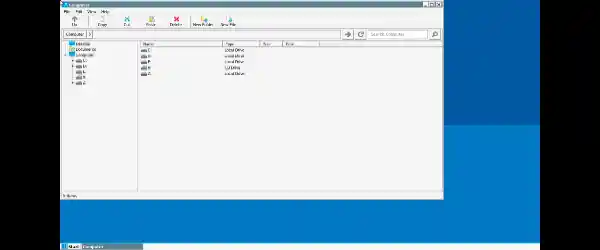
Unleash PC Power in Your Pocket
Winlator Emulator is more than just another Android emulator. Instead of mimicking old systems, it creates a highly compatible environment for Windows apps and games. Using advanced libraries and drivers, it translates Windows-based instructions into Android-friendly code. That means even demanding PC titles can run with surprising fluidity—provided your device meets the minimum requirements.
This isn’t about streaming from the cloud. Winlator works locally on your phone or tablet, unlocking the potential of modern mobile hardware. For those with Snapdragon-powered devices, the experience is even smoother thanks to dedicated GPU optimization.
Compatibility Features
One of Winlator’s strongest selling points is its broad compatibility layer:
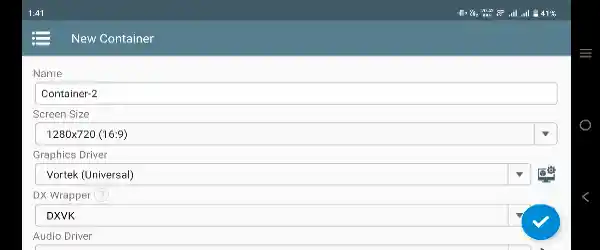
- DirectX 9–12 support: Using DXVK and VKD3D, Winlator ensures games built on DirectX run reliably through Vulkan translation. This brings PC-level graphics to your Android screen.
- .NET Framework compatibility: Many Windows applications depend on Microsoft’s .NET Framework. Winlator integrates support, making it easier to launch not only games but also productivity tools and utilities.
- Unity Engine optimization: A massive number of indie and AAA PC games are built on Unity. Winlator’s engine-specific tweaks mean these games perform better with fewer crashes and glitches.
Thanks to these layers, Winlator doesn’t just run “some” Windows programs—it runs a lot of them.
Smart Presets for Every User
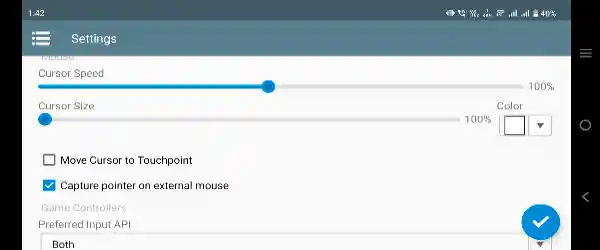
Not every Android device is the same, and not every app requires the same level of performance. That’s why Winlator comes with three carefully designed presets:
- Gaming Mode: Pushes your device to deliver the best possible graphics and frame rates, perfect for high-performance PC titles.
- Stability Mode: Reduces aggressive optimizations to provide steady, reliable performance for day-to-day apps or games prone to crashing.
- Compatibility Mode: Prioritizes maximum compatibility, ensuring even older or unusual software runs without major issues.
These modes make it easy for both beginners and advanced users to find the right balance between speed, stability, and compatibility.
Optimized for Mobile Hardware
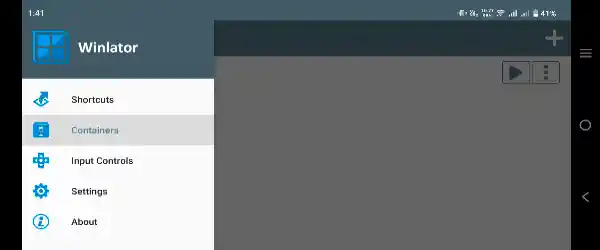
Running PC software on a phone might sound impossible, but Winlator proves it’s achievable with the right optimizations:
- Snapdragon Adreno GPU support: Leveraging Turnip drivers, Winlator squeezes every ounce of power out of Snapdragon devices, ensuring smooth rendering.
- Vulkan 1.1+ requirement: Modern Vulkan support is a must, allowing Winlator to handle advanced graphics translation efficiently.
- MediaTek and Exynos warnings: While supported, devices with these chipsets may not achieve the same performance or stability as Snapdragon models.
If you own a Snapdragon-powered phone or tablet, you’ll see a noticeable difference compared to generic emulators.
Controls Made Simple
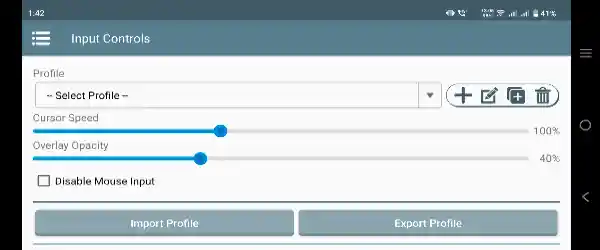
Playing PC games on Android wouldn’t be fun without proper control options. Winlator offers a wide range of input flexibility:
- RTS-style keyboard mapping for strategy and management games.
- Gamepad support, so you can connect your controller and enjoy a true console-like experience.
- Resolution scaling, letting you lower resolutions (e.g., 640×360) for retro titles or increase them for modern games, depending on your device’s power.
These features ensure that whether you’re playing a classic RPG or a modern shooter, the controls and visuals adapt to your preference.
MOD Features of Winlator Emulator APK
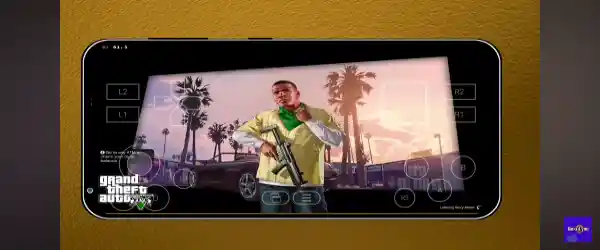
The Winlator Emulator APK MOD version comes with extra perks that make it more accessible for everyone:
- Fully optimized for low-end Android devices: Even if your phone isn’t the latest flagship, Winlator has been tweaked to perform better on modest hardware.
- Best settings applied: No need to spend hours configuring; the most effective Winlator settings are pre-applied out of the box.
- No lag gameplay: Thanks to smart optimizations, games run smoother and with minimal stutter compared to the standard version.
This MOD edition ensures users get the best possible experience without needing advanced technical knowledge.
Why Choose Winlator Emulator APK?
If you’re looking for an emulator that goes beyond retro gaming and actually brings PC software to Android, Winlator stands out as a clear choice. Its DirectX support, .NET compatibility, and Unity engine optimization open doors to a wide library of software. Coupled with GPU-specific tweaks and smart presets, it provides performance that feels surprisingly close to native Windows.
For gamers, this means you can enjoy PC titles on the go. For professionals, it means accessing essential Windows tools without needing a laptop. And with the MOD version, even budget users can experience the magic.
Final Thoughts
The Winlator Emulator APK is a groundbreaking solution for anyone who wants to bridge the gap between Android and Windows. By combining advanced compatibility layers, GPU optimizations, and flexible presets, it makes running PC apps and games on mobile not only possible but practical.
Whether you’re chasing high-performance gaming, experimenting with old software, or just curious about pushing your phone to its limits, Winlator is worth downloading. With the MOD edition, you’ll also enjoy pre-applied settings and optimizations designed to eliminate lag.
Put simply, Winlator brings the PC power you love right into your pocket.