
Download GameHub APK to play PC games on Android with offline emulator, cloud gaming, streaming, Steam integration, and easy game importing.
APP Info
| Name | GameHub - PC Emulator |
| Publisher | GameSir |
| Genre | Emulator |
| Size | 83 MB |
| Version | 6.0.9 |
| Operating System | Android 9 and up |
| MOD Info | Optimized |
 (rate it)
 Loading...
Related Game: Winlator Ludashi
GameHub – PC Emulator Overview
GameHub APK is an all-in-one gaming platform designed for Android users who want to enjoy PC and retro games on their mobile devices. Instead of using multiple apps for game streaming, emulation, and cloud gaming, GameHub combines these features into one simple application. Whether you’re playing offline with the built-in PC emulator or streaming games from your computer, GameHub makes mobile gaming more flexible and convenient.
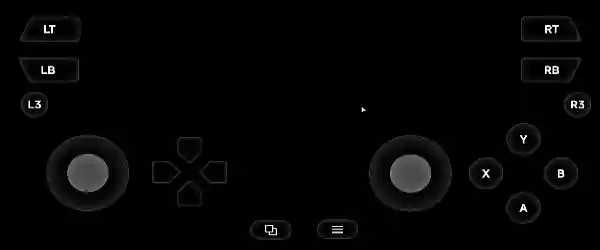
The app also supports both touch controls and external game controllers, allowing every player to choose their preferred way to play.
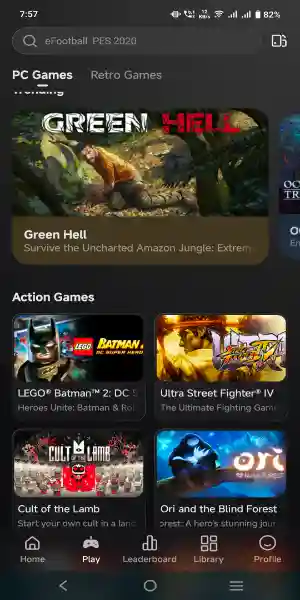
Why Choose GameHub APK?
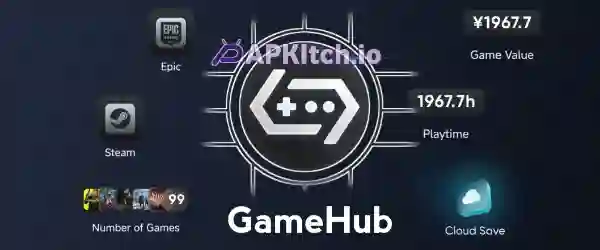
GameHub is built for gamers who want to carry their PC gaming experience wherever they go. With support for Steam and Epic Games libraries, you can keep your favorite games in one place instead of switching between different platforms.
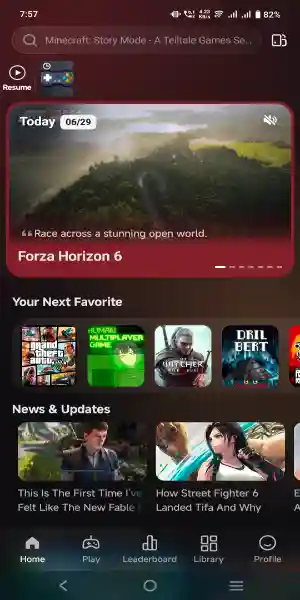
Its clean interface and simple navigation make it easy for beginners to import games, manage their library, and start playing within minutes.
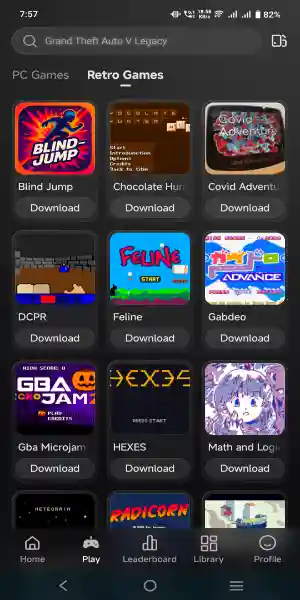
Enjoy PC Games on Your Android Device
One of the biggest highlights of GameHub APK is its ability to run PC games on Android. The built-in PC emulator is optimized for demanding 3A games, providing a smoother experience on compatible devices.
The emulator can also work offline, making it useful when you don’t have access to the internet. Simply import your game, complete the setup, and start playing anytime.
Multiple Gaming Modes in One App
GameHub offers several ways to play your favorite games depending on your needs.
- PC Emulator: Run supported PC games directly on your Android device without needing an internet connection after setup.
- Cloud Gaming: Access games through cloud servers and enjoy high-quality gaming. A stable internet connection is required for this feature.
- Game Streaming: Stream games from your own PC to your Android phone. This lets you continue your gaming session even when you’re away from your computer.
These options give users the freedom to choose the gaming method that best suits their device and internet availability.
Steam and Epic Games Support
GameHub makes managing your game collection much easier by integrating with Steam and Epic Games. Your library stays organized, allowing you to access supported titles from a single application.
This saves time and creates a smoother gaming experience by reducing the need to switch between multiple apps.
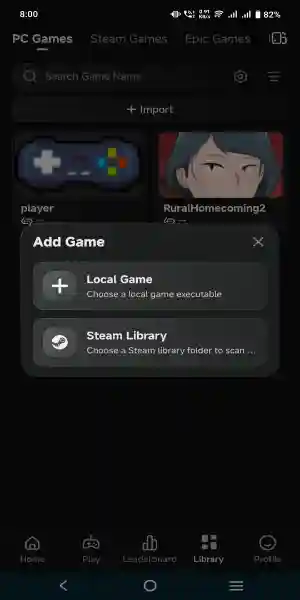
Import Games in Just One Click
Adding games to GameHub is simple. The one-click import feature allows you to quickly add both PC games and retro games to your library.
There’s no need for complicated settings or lengthy configuration. Just import your game, follow the setup instructions, and you’re ready to play.
Flexible Controls for Every Gamer
Different players have different preferences, and GameHub supports both.
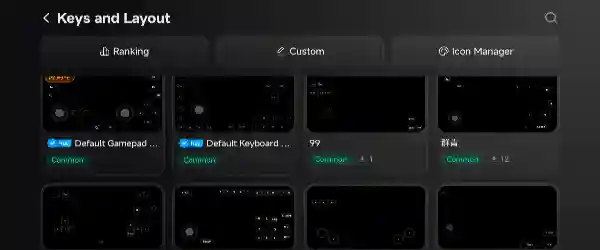
If you enjoy a console-like experience, connect a compatible game controller. If you don’t have one, the built-in touch controls let you play comfortably using your phone’s screen.
This flexibility makes the platform suitable for both casual gamers and experienced players.

Discover Popular Games
Not sure what to play next? GameHub includes a Top Charts section where you can explore popular and recommended games.
This feature helps you discover exciting new titles without spending hours searching online, making it easier to find your next favorite game.
Main Features of Latest Version
- Play PC games on Android.
- Built-in PC emulator with offline support.
- Cloud gaming support.
- Remote PC game streaming.
- Steam and Epic Games integration.
- One-click game import.
- Supports PC and retro games.
- Controller and touch control support.
- Easy-to-use interface.
- Top Charts for game discovery.
How to Use GameHub APK
Using GameHub is easy. Install the app, import your PC or retro games, and follow the on-screen instructions. Once your game is added to the library, you can launch it directly from the app.
Depending on the feature you use, you can play offline with the emulator or enjoy cloud gaming and remote streaming with a stable internet connection.
Final Words
GameHub APK is an excellent choice for Android gamers looking for a complete gaming platform. It combines PC emulation, cloud gaming, and game streaming into one easy-to-use application while supporting Steam and Epic Games libraries.
With offline emulator support, one-click game importing, flexible controls, and an organized game library, GameHub provides a convenient way to enjoy PC and retro games on Android. Whether you’re playing at home or on the go, GameHub offers a simple and enjoyable gaming experience without requiring multiple apps.