
Download Winlator Ludashi APK for Android and run Windows games and apps with Wine, Box64, FEXCore, and performance enhancements.
APP Info
| Name | Winlator Ludashi |
| Publisher | StevenMXZ |
| Genre | Emulator |
| Size | 452 MB |
| Version | 3.1 |
| Operating System | Android 9 and up |
| MOD Info | Optimized |
 5.00 (1 Votes)
 Loading...
What’s New in Version 3.1
🖥️ Vulkan Renderer Improvements
- Major updates to VulkanRenderer for better compatibility and performance.
- Fixed incorrect color rendering issues on Mali GPUs.
⚒️ User Interface Enhancements
- Significantly improved the overall app UI for a smoother user experience.
- Increased ImageFS installation speed by up to 2x.
🎮 Gaming & Controls Updates
- Added new touch controller layouts.
- Added support for custom controller colors.
- Fixed a bug that caused touch controllers to disappear randomly.
🔧 Stability & Compatibility Fixes
- Implemented a background service to help prevent Winlator crashes.
- Fixed an old Cmod issue where the FEXCore version selected in shortcuts was being ignored.
- Updated all assets, including a new default Turnip driver with support for Adreno A8xx GPUs.
- Updated Box64 variables for improved compatibility and performance.
- Fixed an XServer issue that could cause certain games to crash due to incorrect opcode handling.
Related App: Winlator Original
Winlator Ludashi APK – Run Windows Games on Android
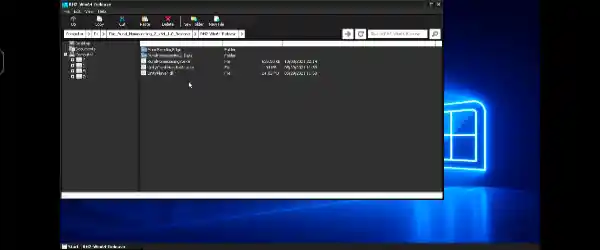
Winlator Ludashi APK is a powerful Android application that allows users to run Windows (x86_64) games and software directly on their Android devices. Built on Wine technology, Winlator creates a Windows-like environment where users can install and launch many PC applications without needing a desktop computer. This version is based on the Winlator Bionic project and includes special builds designed to improve compatibility and performance on certain Android devices.
One of the most popular variants is the Ludashi Build, which offers the same functionality as the standard Winlator Bionic application but uses a different package name. The package name is changed to mimic Ludashi, a well-known benchmark application. Some Android manufacturers, particularly Xiaomi, may automatically recognize benchmark apps and enable higher performance profiles when they are launched. As a result, users may experience reduced thermal throttling and slightly improved gaming performance while using Winlator Ludashi APK.
What is Winlator Ludashi APK?
Winlator Ludashi APK enables Android users to run Windows applications using Wine along with advanced emulation technologies such as Box86, Box64, FEXCore, and WowBox64. The application supports both traditional x86_64 containers and modern Arm64EC containers, giving users flexibility when running different types of software.
Whether you want to play classic PC games, run productivity software, or test Windows applications on Android, Winlator Ludashi provides an efficient and user-friendly solution.
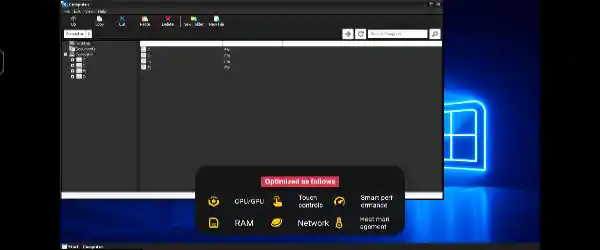
Available Builds
Ludashi Build
This version is identical to the standard Winlator Bionic release in terms of features and functionality. The only difference is the package name, which is designed to resemble the Ludashi benchmark application. On supported devices, this may trigger system-level performance optimizations.
Dev-Vanilla Build
The Dev-Vanilla Build uses the original package name and remains completely unmodified. It is ideal for users who want the official experience and need compatibility with other Winlator forks installed on the same device.
RedMagic Build
The RedMagic version uses a package name that mimics Genshin Impact. Certain RedMagic devices may detect this package and automatically activate gaming enhancements such as frame generation and other hardware optimizations, potentially delivering smoother gameplay.
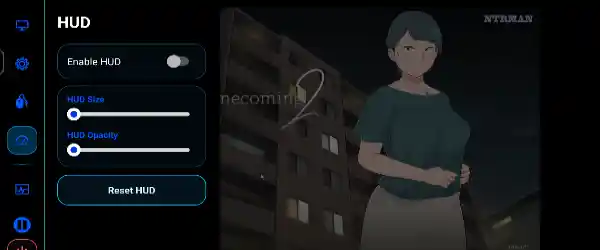
Main Features
- Run Windows (x86_64) applications on Android.
- Supports both x86_64 and Arm64EC containers.
- Wine-based compatibility layer.
- Box86 and Box64 support for traditional containers.
- FEXCore integration for Arm64EC environments.
- Optional WowBox64 support for 32-bit applications.
- Improved compatibility with many PC games and software.
- Device-specific performance enhancements through special builds.
- Custom container settings for advanced users.
- Individual game shortcuts with separate configuration profiles.
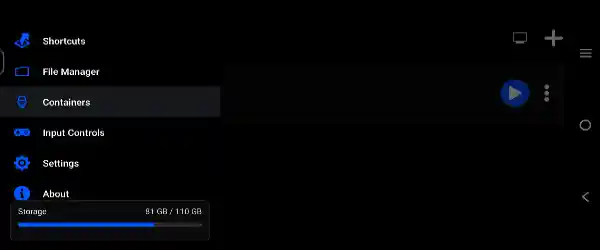
Installation Guide
Installing Winlator Ludashi APK is simple:
- Download the latest APK release.
- Choose your preferred build (Ludashi, Dev-Vanilla, or RedMagic).
- Install the APK on your Android device.
- Open the application.
- Wait for the setup and installation process to complete.
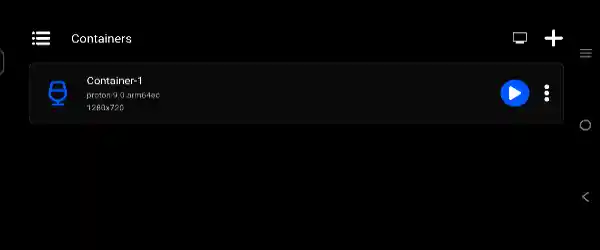
- Create a container and begin installing Windows software or games.
Once setup is complete, you can launch supported Windows applications directly from the Winlator interface.
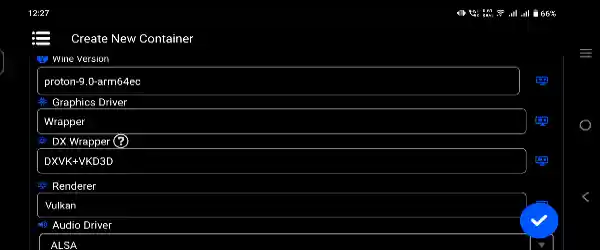
Useful Performance Tips
To get the best experience from Winlator Ludashi APK, consider the following recommendations:
- Use Performance Presets: If you are using an x86_64 container and notice slow performance, switch the Box86/Box64 preset to Performance under the Advanced settings of your container.
- Experiment with FEXCore Versions: For Arm64EC containers, different FEXCore versions may perform better depending on the application. Try switching between versions such as 2505 or 2507 to find the best balance of compatibility and speed.
- Install Wine Mono: Applications that depend on Microsoft’s .NET Framework may require Wine Mono. You can install it from the Start Menu under System Tools.
- Fix Older Games: Some older Windows games may fail to launch correctly. Adding the environment variable: MESA_EXTENSION_MAX_YEAR=2003: can improve compatibility with legacy software.
- Create Game Shortcuts: Launching games through Winlator shortcuts allows you to assign custom settings for each game individually, helping optimize performance and stability.
- Speed Up Installers: If software installers are running slowly, changing the Box86/Box64 preset to Intermediate may significantly reduce installation times.
Final Thoughts
Winlator Ludashi APK is an excellent choice for Android users who want to run Windows games and applications without needing a PC. Its support for multiple container types, advanced emulation technologies, and device-specific optimization builds makes it one of the most versatile Windows emulation solutions available for Android. Whether you choose the Ludashi, Dev-Vanilla, or RedMagic build, Winlator provides a flexible and powerful platform for enjoying PC software on mobile devices.